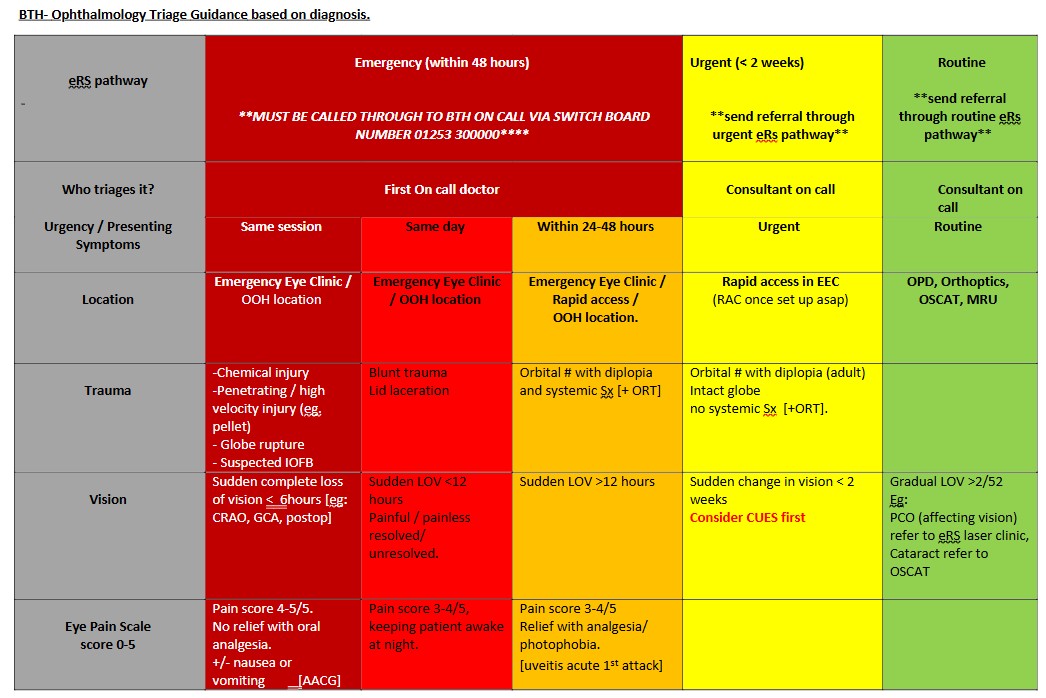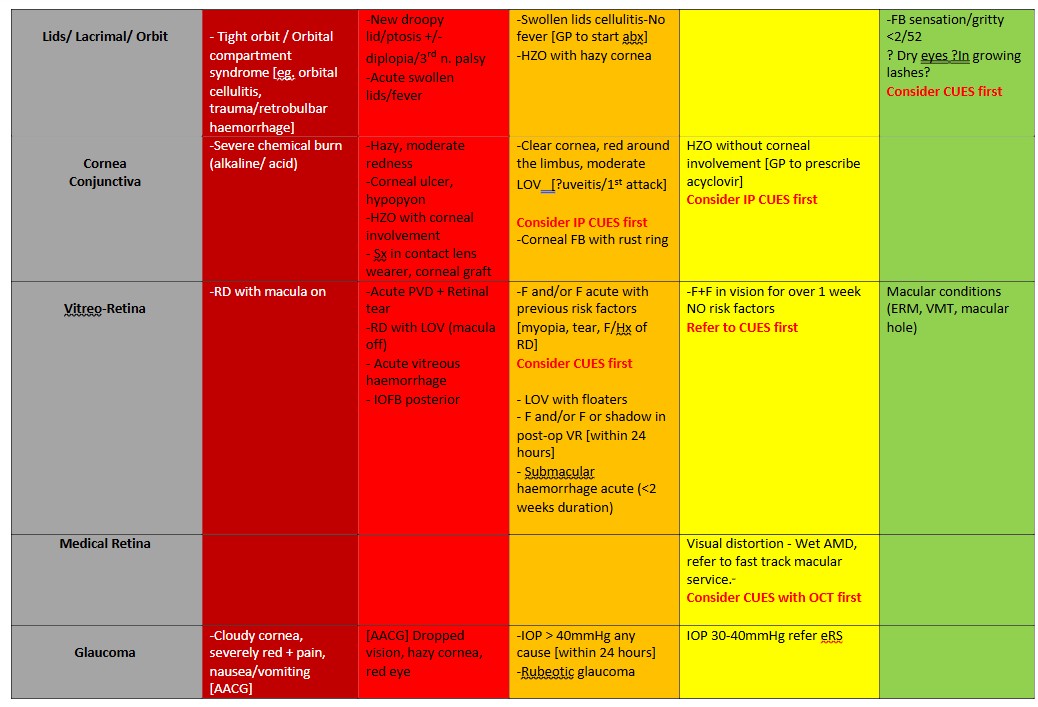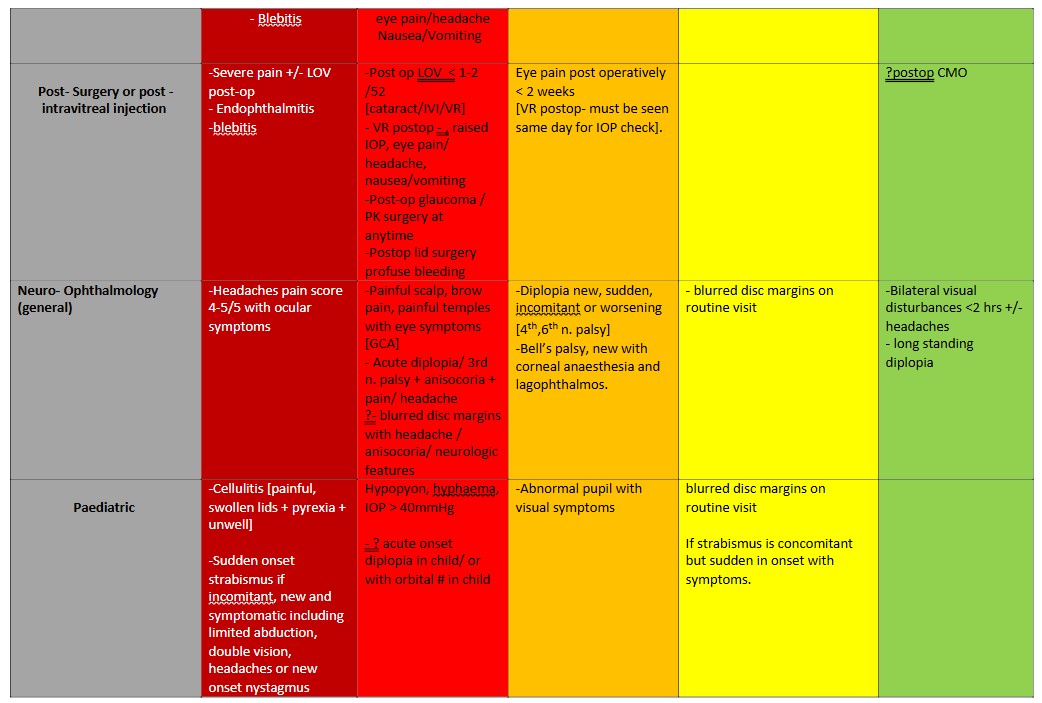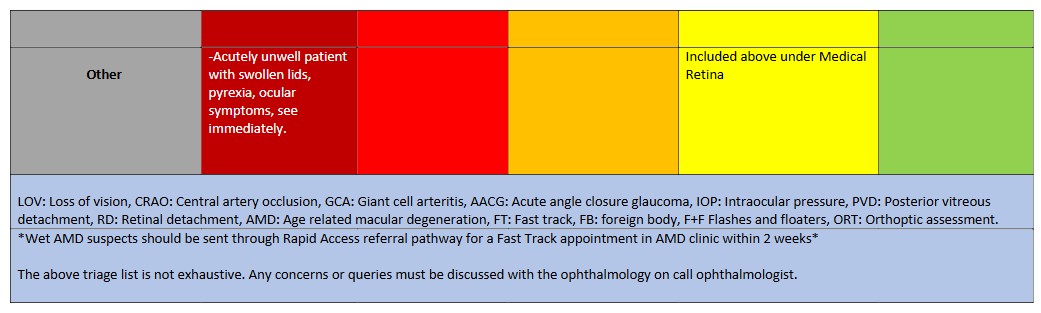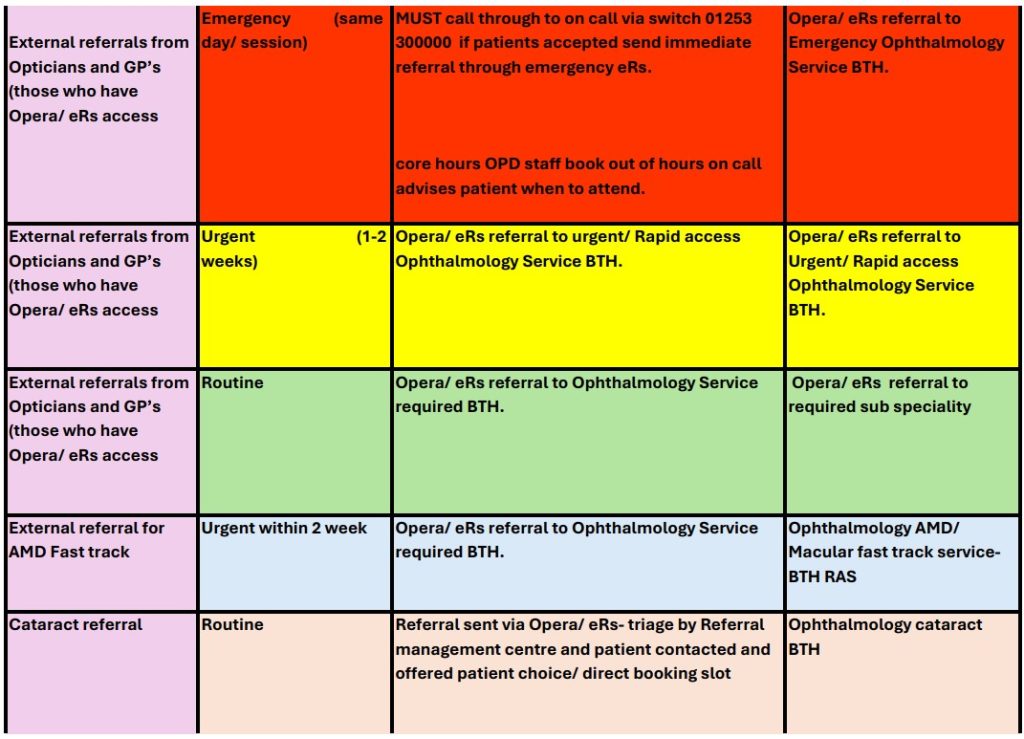
From 1st June 2026, the Lancashire and South Cumbria Eye Care Navigation Service (ECNS) is launching, introducing a new referral endpoint for routine GOS18 referrals on the IT platform, OPERA.
If you missed the event, please see below for the link to the recording of the session and the presentation slides:
Lancashire and South Cumbria Eye Care Navigation Service Launch Event Slides
Lancashire and South Cumbria Eye Care Navigation Service Launch Event Recording
What’s changing?
- Routine GOS18 referrals
- Select: “ROUTINE GOS18 REFERRALS ECNS – LANCS AND SC – NOT FOR CUES OR GERS” in OPERA
- Choosing any other routine endpoint will also automatically be redirected into ECNS for clinical triage
- Urgent GOS18 referrals
- Continue selecting a specific provider endpoint as usual
- These will be automatically redirected into ECNS for clinical triage
- Emergency referrals
- No change – continue to use existing local emergency pathways
- Please note: Blackpool Victoria Emergency referrals will no longer be under urgent and will have moved to the emergency eye clinic option
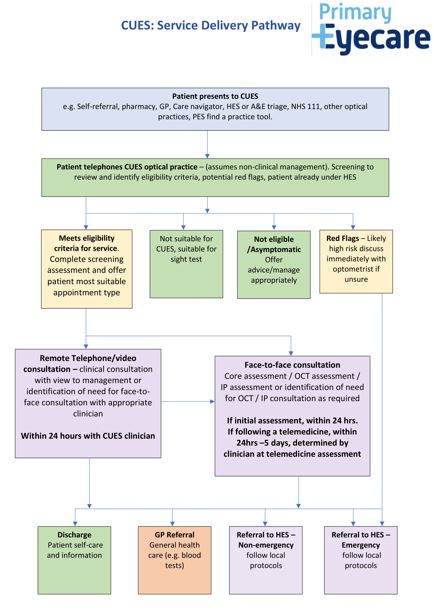
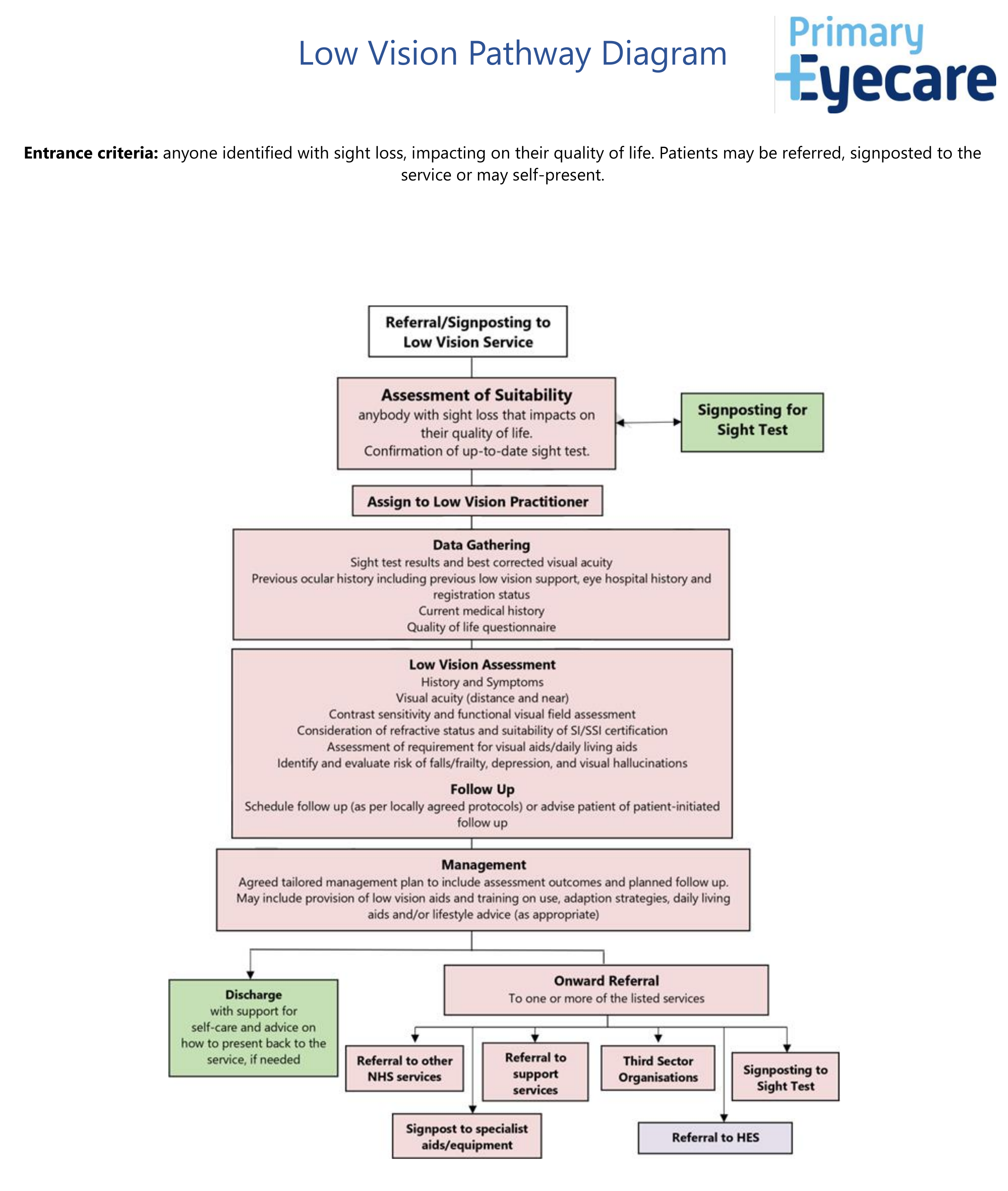
- Referrals for community services (e.g. CUES, GERS, Low Vision Service).
- No change – continue referring to a named provider after a choice conversation
- Children’s referrals – Please choose named providers as normal (Blackpool and Fylde and Wyre Practices will note new endpoints for these).
As part of the rollout of the Eye Care Navigation Service (ECNS) in Lancashire and South Cumbria, all participating practices are required to use secure communication methods when sharing patient information.
We understand that some practices are not yet using the recommended IT platform, OPERA and may have different levels of access to secure email. Please follow the guidance below depending on your setup:
What you need to
If your practice:
- Is not using the IT platform, OPERA, and
- Does not have an nhs.net email address
You must register to use KnowBe4 (formerly Egress) as soon as possible to securely send and receive patient information.
Please find the link here –
KnowBe4 Switch | Authentication
Accessing Encrypted Emails – a Guide for non NHSmail users
If you already have an Egress log in, you can sign in using your existing log in details.
If your practice:
- Is not using the IT platform, OPERA, but
- Does have an nhs.net email address
You should send referrals securely via NHSmail to the ECNS hub at: cnech.pecservices@nhs.net
Why this is important
Using a secure, approved communication method is essential to:
- Protect patient confidentiality
- Meet NHS information governance requirements
- Ensure safe and timely delivery of the Eye Care Navigation Service
If you have any questions or require further support, please contact Primary Eyecare Services via email at hello@referral.support with ‘L&SC Eye Care Navigation Service’ in the subject header.
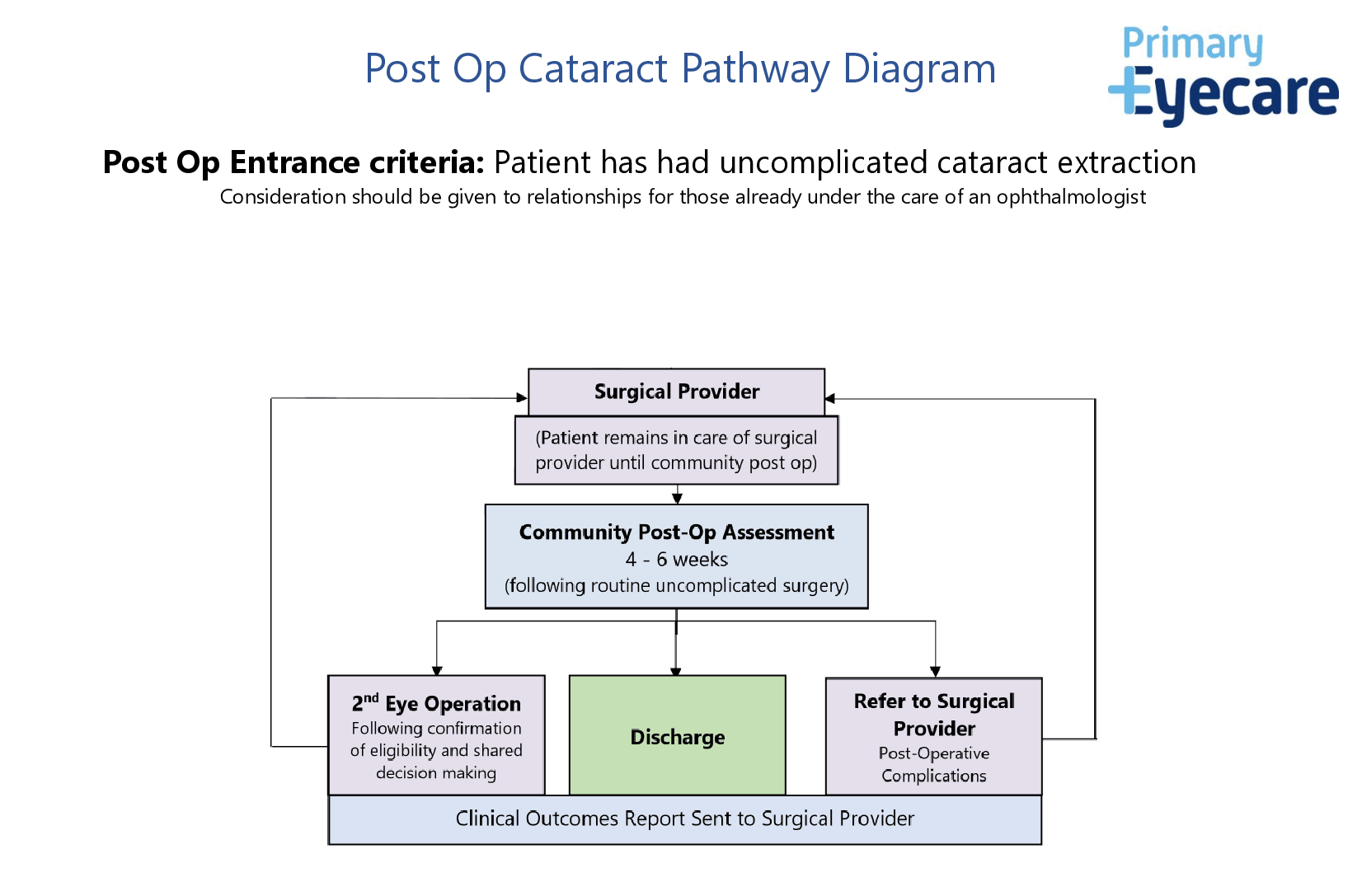
Any patients presenting with symptoms suggestive of wet AMD should be seen by a CUES practice in the first instance for triaging and OCT – if you are not registered for CUES please see the CUES tab for information on how to find a practice.
Blackpool Teaching Hospitals NHS Foundation Trust is involved in the management and treatment of wet AMD. In order for referrals to be accurately processed they should be sent urgently via eERS on Opera where they will be triaged by the Eye Care Navigation Service. This will ensure that referrals for wet AMD are standardised & trackable to prevent delay.
If you are unable to use Opera or refer into CUES, please use this wet AMD referral form and follow the guidance above to send to the Eye Care Navigation Service. Practitioners are asked to use NHS.net email for referrals and flag the email as high priority and urgent.
Please note that any co-pathology (e.g. glaucoma) should be referred separately.